

The Daily Scrum is a strictly time-boxed 15-minute daily planning event designed for the developers of a Scrum team to inspect progress toward the Sprint Goal and adapt their plan for the next 24 hours. It is not a management status report; it is a collaborative alignment ritual owned completely by the people doing the execution work.
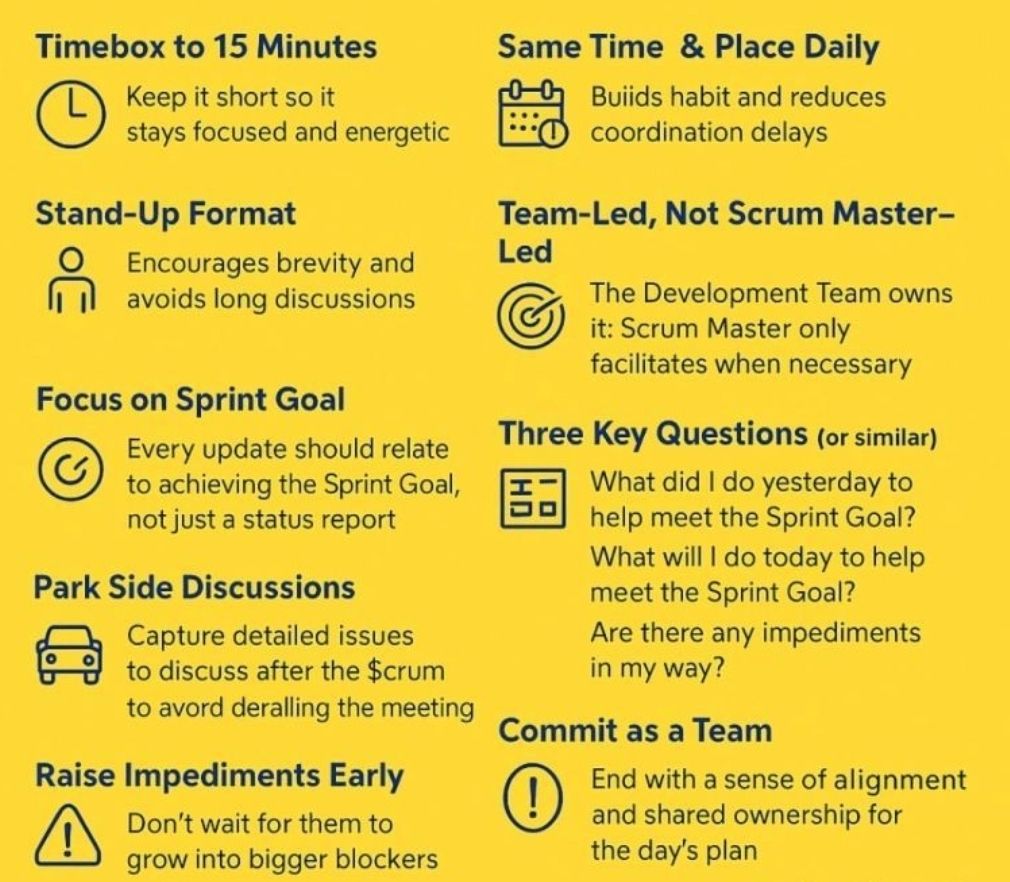
15-minute daily planning event
Here is a step-by-step walkthrough of how to run an effective Daily Scrum, including modern formats and common pitfalls.
📋 The Event Overview
- Time-box: Strictly 15 minutes max.
- When & Where: Held at the exact same time and place every working day to minimize complexity.
- Primary Audience: Developers. The Scrum Master and Product Owner can attend, but they only participate if they are actively working on Sprint Backlog items.
🚶♂️ Step-by-Step Walkthrough
1. Kickoff & Goal Review (Minutes 0 – 2)
- Start on time: Never wait for latecomers; starting promptly builds professional respect and consistency.
- Anchor to the Goal: The facilitator opens the session by clearly showing or reading aloud the Sprint Goal. Every update that follows must tie back to this shared objective.
2. Execution & Synchronization (Minutes 2 – 12)
The team syncs on current progress. Depending on your team’s preference, select one of these common execution formats:
Format A: “Walking the Board” (Highly Recommended)
Instead of focusing on individual people, focus on the work items themselves.
- Start from the rightmost column of your Sprint Board (closest to “Done”) and work backward.
- The team discusses the highest-priority item currently in progress.
- The individuals contributing to it answer: What will it take to pull this specific card over the finish line today?
- Repeat this for subsequent active tickets until you run out of items in progress.
Format B: The Classic Three Questions
Each developer takes turns speaking, keeping their personal update to under 60 seconds. They answer:
- What did I do yesterday that helped the team meet the Sprint Goal?
- What will I do today to help the team meet the Sprint Goal?
- Do I see any impediments that prevent me or the team from meeting the Sprint Goal?
3. Parking Lot Identification & Wrap-up (Minutes 12 – 15)
- Spotlight Impediments: If someone mentions a blocker, note it down on a visible impediment tracker. Do not try to solve the problem right now.
- Form the After-Meeting: Identify which specific team members need to stay behind to solve the blocker.
- Adjourn on time: Release everyone else exactly at or before the 15-minute mark to let them protect their deep-focus work time.
⚠️ Common Pitfalls to Avoid
- Turning it into a status report: If developers look at the Scrum Master or Product Owner while talking, they are reporting status. Ensure team members look at each other or the sprint board.
- Falling into deep problem-solving: The Daily Scrum is for identifying issues, not fixing them. Use the “ELMO” technique (Enough, Let’s Move On) if conversations drift into technical design.
- Rambling or multi-tasking: Keep updates brief and focus exclusively on the current sprint. For remote teams, keeping video cameras turned on enhances presence and keeps attention sharp.
Daily Scrum format and step-by-step walkthrough
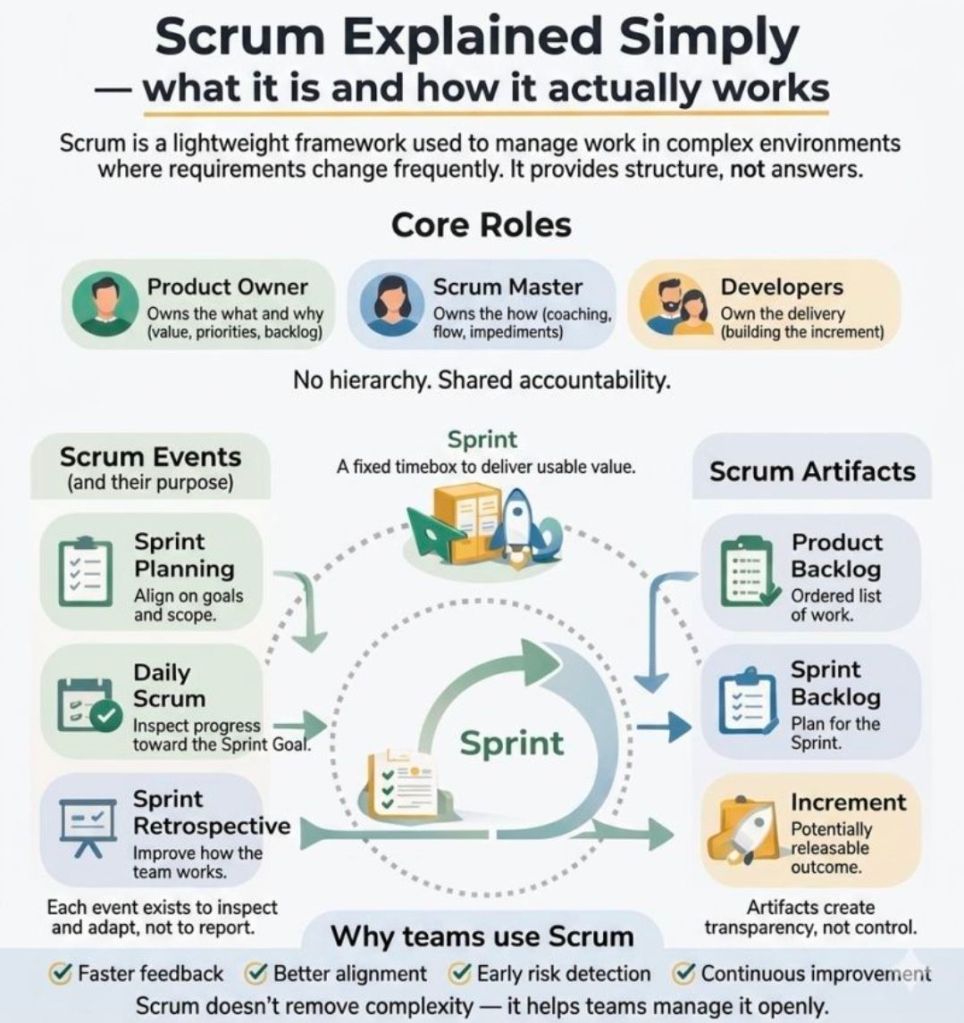
what it is and how it actually works
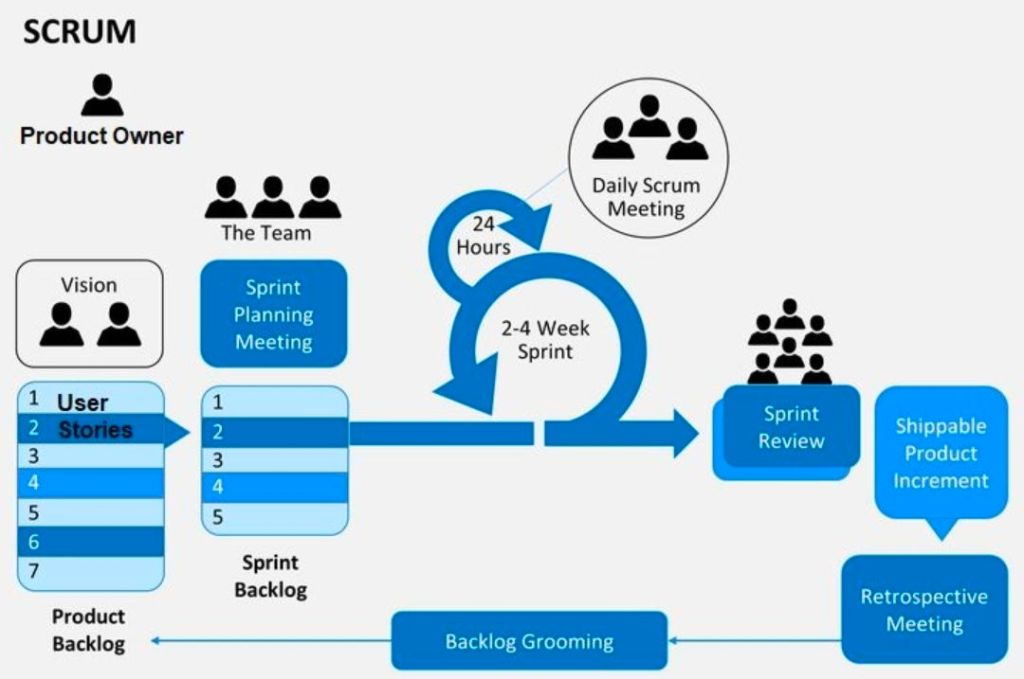
what it is and how it actually works

