

In computing, DNS stands for Domain Name System. It acts as the “phonebook of the internet,” translating human-friendly domain names (like google.com) into numerical IP addresses (like 142.250.190.14) that computers use to communicate.
How DNS Works
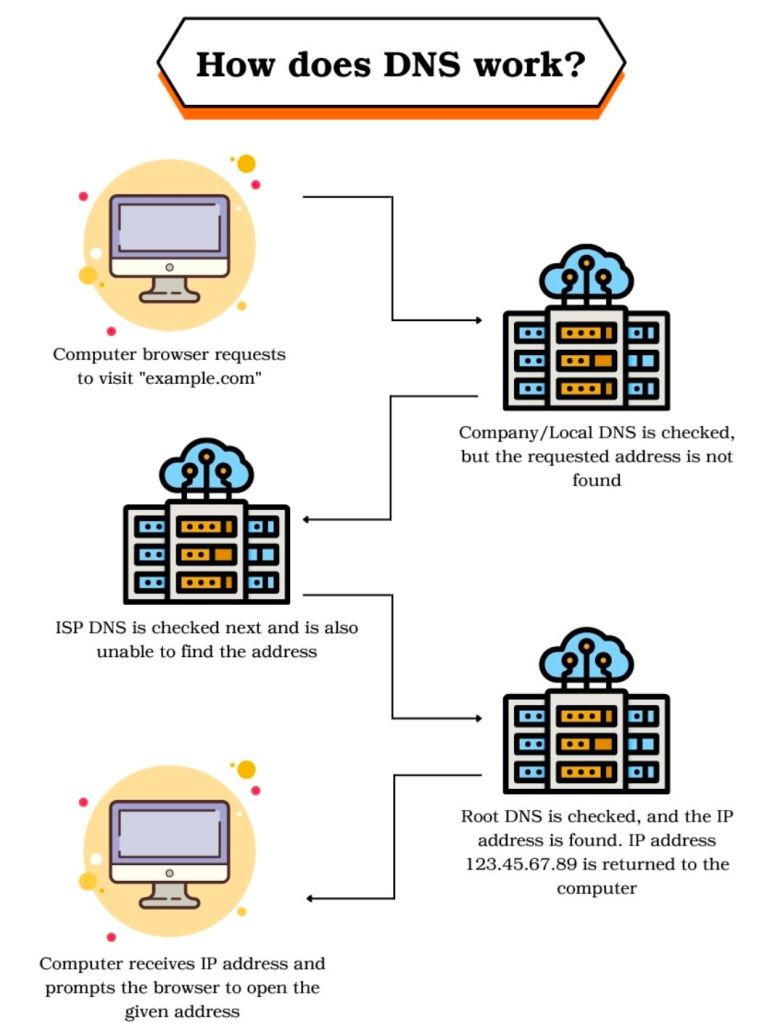
When you type a URL into your browser, a DNS lookup occurs through a hierarchy of servers:
- Recursive Resolver: Your first point of contact (usually provided by your ISP), which searches for the address on your behalf.
- Root Nameserver: Directs the resolver to the correct Top-Level Domain (TLD) server based on the extension, such as
.comor.org. - TLD Nameserver: Points to the Authoritative Nameserver for that specific domain.
- Authoritative Nameserver: Holds the final, definitive IP address and returns it to the resolver.
Key Concepts
- DNS Caching: To speed up browsing, devices and browsers temporarily store previously resolved IP addresses so they don’t have to repeat the full lookup every time.
- DNS Records: These are instructions stored on servers. Common types include:
- A Record: Maps a domain to an IPv4 address.
- AAAA Record: Maps a domain to an IPv6 address.
- MX Record: Directs emails to the correct mail server.
- CNAME Record: Aliases one domain name to another.
- Public DNS: While most people use their ISP’s default settings, you can switch to free public providers like Google Public DNS (8.8.8.8) or Cloudflare (1.1.1.1) for better speed, privacy, or security.

 PROject Templates